



In addition to screen locking, you can also filter several dashboards to show only the period that corresponds to the work schedule. When this feature is enabled, the system disregards any activity performed before or after the registered work schedule and shows only the information within each user’s official working hours.
As in the example below: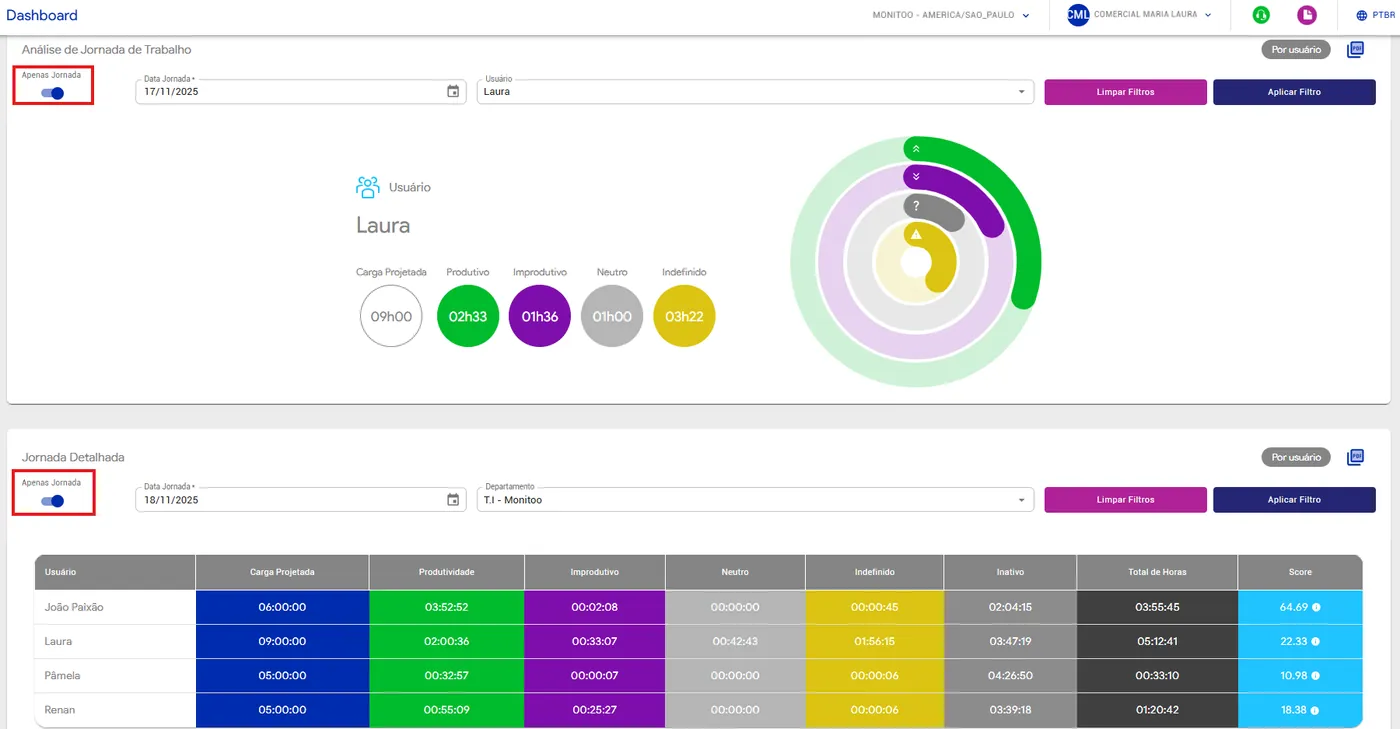
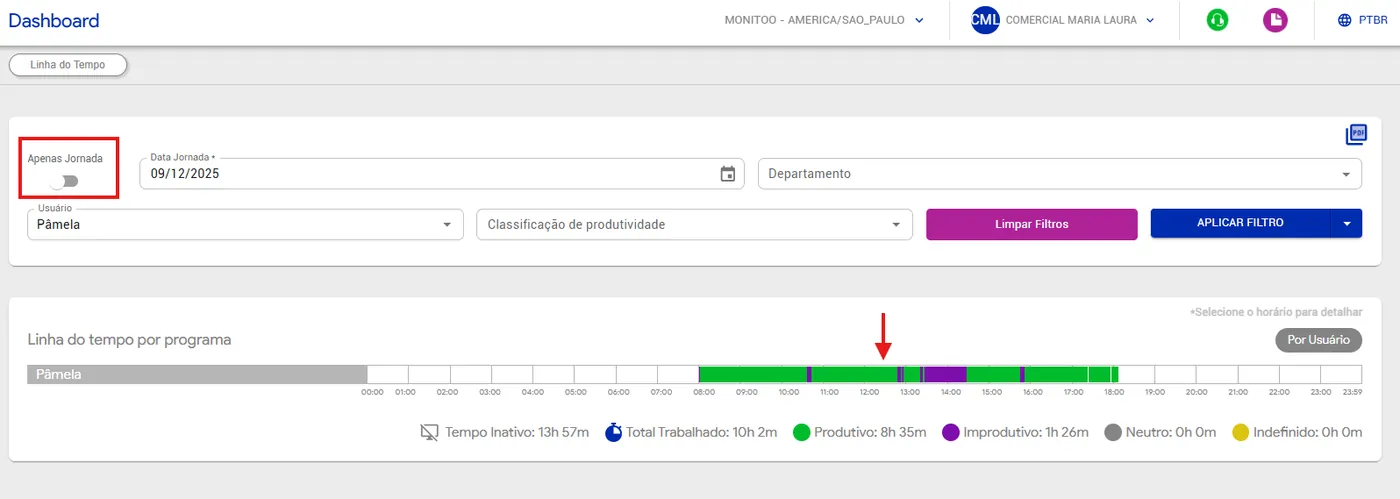
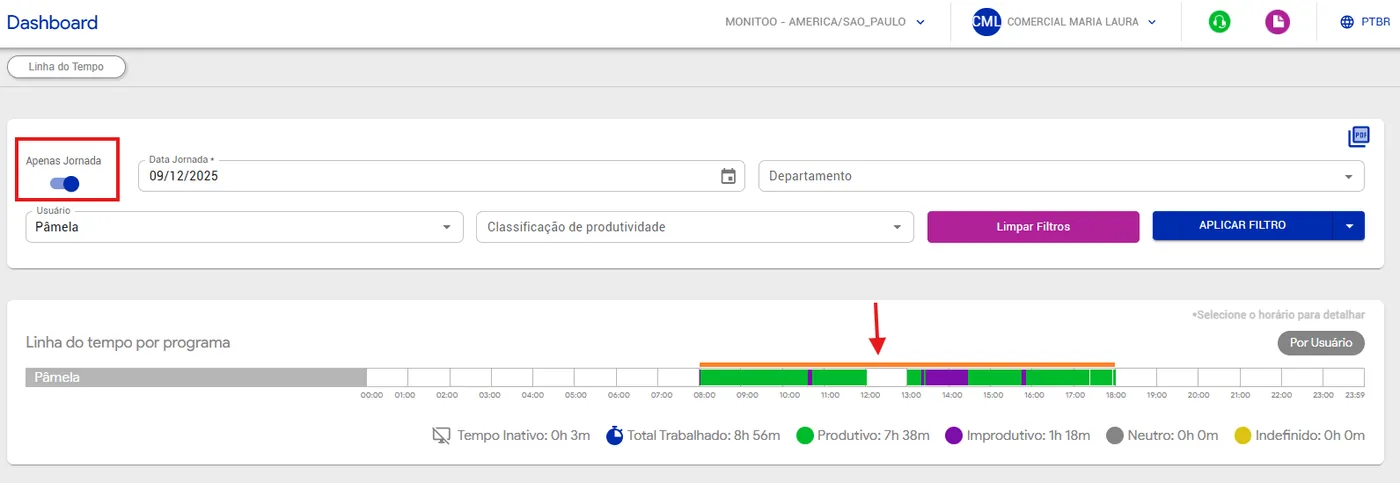
When the “Work Schedule Only” filter is enabled, the system considers only the defined working hours. If a lunch break is registered, all activity by employees during that period is automatically excluded from the reports.
See an example below:
Was this article helpful?
Great! Thanks for your feedback.
Tell our team what was missing: contact support on WhatsApp.
